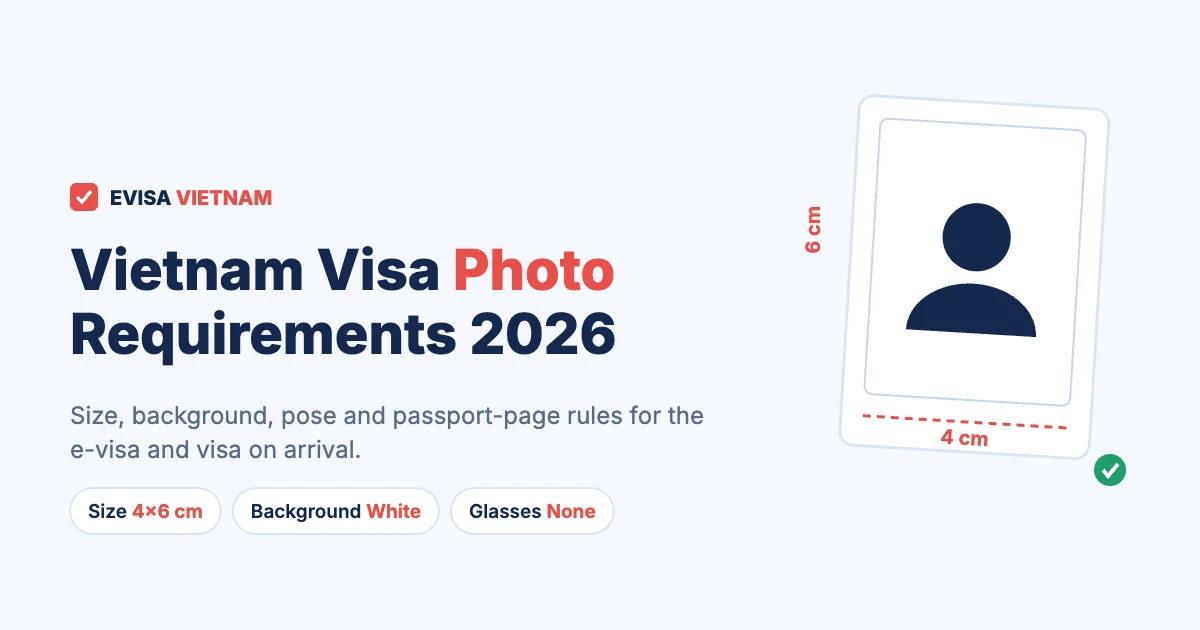
A Vietnam visa photo must be a recent colour portrait, 4×6 cm, on a plain white background. You look straight at the camera with your eyes open and your mouth closed, and you wear no glasses and no hat. For the e-visa, you upload this photo as a JPG file together with a separate image of your passport data page. For visa on arrival, by contrast, you bring printed photos to the airport.
Photo problems are one of the most common reasons why an e-visa is delayed or refused. So this guide shows the exact rules, a do-and-don’t chart, a simple way to take the photo at home, and what to do if Immigration asks for a new one.
Vietnam visa photo: key rules (checked November 2026)
- Size: 4×6 cm portrait (width × height), a 2:3 ratio.
- Background: plain white, no shadows or patterns.
- Pose: face the camera, eyes open, mouth closed, neutral expression.
- No glasses (including prescription glasses) and no hat.
- E-visa file: JPG. Keep it under 2 MB, which is the limit on the current upload form.
- Second upload: the full passport data page, including the two MRZ lines at the bottom.
Vietnam visa photo requirements at a glance
The rules are almost the same for every type of visa. However, the format changes: the e-visa needs a digital file, while visa on arrival and embassy visas need prints. The table below compares them.
| Requirement | E-visa (upload) | Visa on arrival / embassy (print) |
|---|---|---|
| Size | 4×6 cm portrait ratio | 4×6 cm prints |
| Number | 1 portrait file + 1 passport page image | Usually 2 identical photos |
| Background | Plain white | Plain white |
| File or paper | JPG, under 2 MB | Photo paper, glossy or matte |
| Age of photo | Recent (taken within 6 months is a safe rule) | Recent |
| Glasses and hat | Not allowed | Not allowed |
In short, if you prepare one good digital portrait, you can use it for the e-visa and also print it for visa on arrival.
Correct vs incorrect Vietnam visa photo
The e-visa system checks your portrait against the photo in your passport. As a result, anything that makes your face harder to compare can slow the application down.
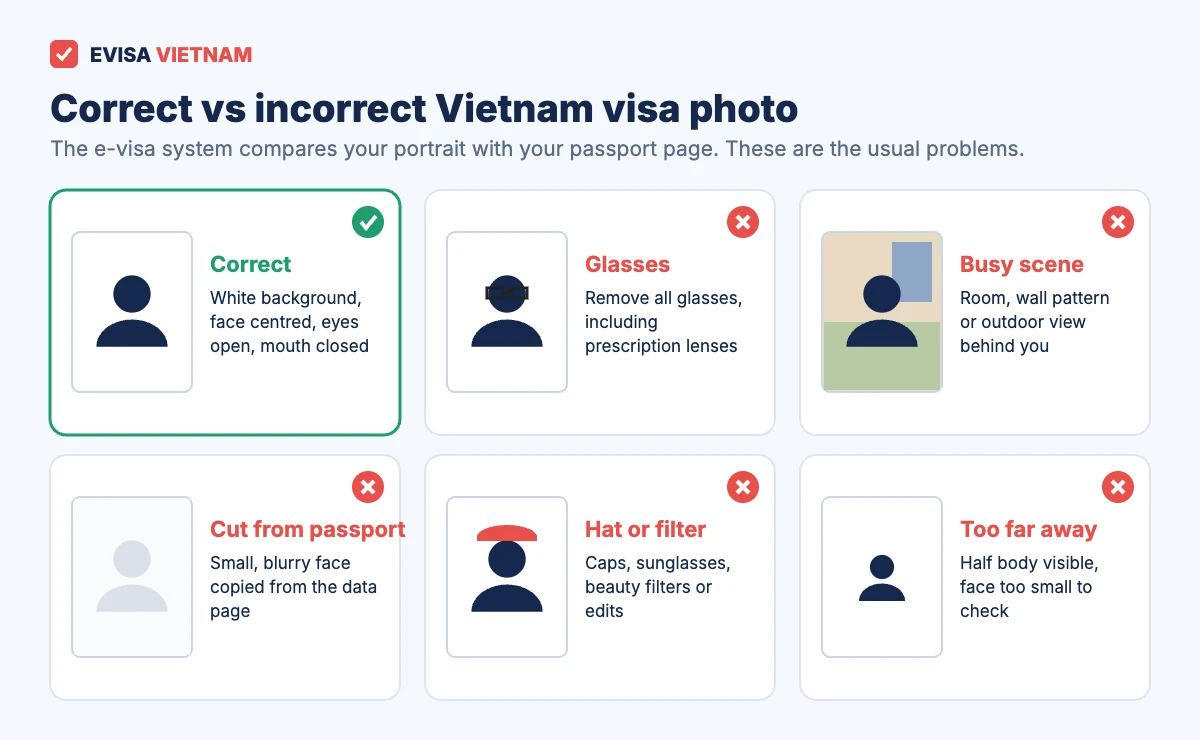
- Glasses: take them off, even if your passport photo shows them.
- Busy background: a coloured wall, a door or furniture behind you can lead to a request for a new photo.
- Cropped passport photo: cutting your face out of the data page gives a tiny, blurry picture. Instead, take a new portrait.
- Hats, sunglasses and filters: remove them, and do not use beauty apps or edits.
- Too far away: your head and the top of your shoulders should fill most of the frame.
If you cover your head for religious reasons, keep your whole face clearly visible from chin to forehead, and look the same as in your passport.
The second upload: your passport data page
Many travelers focus on the portrait and forget the passport image. Yet the e-visa form asks for both, and the passport page is checked just as carefully.
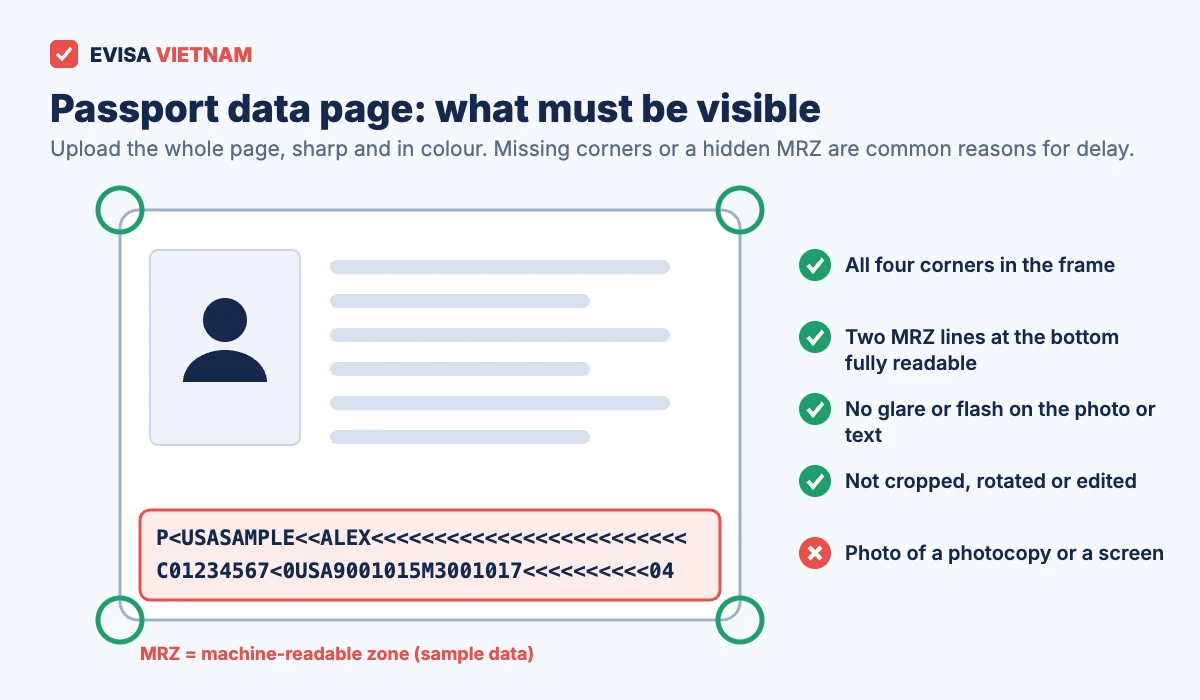
- Show the whole page, with all four corners inside the picture.
- Make sure the two lines of letters and numbers at the bottom (the machine-readable zone, or MRZ) are sharp and complete.
- Avoid flash. Light from a window at an angle stops glare on the plastic cover.
- Use the original passport, not a photocopy or a picture of a screen.
How to take a Vietnam visa photo at home
You do not need a studio. In fact, a phone and a white wall are enough if you follow these steps.
- Find the light. Stand facing a window during the day, about 50 cm in front of a white wall. This way, the wall stays bright and your face has no harsh shadows.
- Ask someone to hold the phone. The phone should be at eye level, about 1.5 m away. Then use a little zoom (around 2×) so your face is not stretched.
- Frame head and shoulders. Keep your face in the centre, with a small space above your head.
- Crop to 2:3. For example, crop to 800×1200 pixels or any larger size with the same shape.
- Save as JPG and check the size. Finally, make sure the file is under 2 MB. Most phone photos at normal quality are well below that once cropped.
Worked example: Anna takes a 3024×4032 photo on her phone. She crops a 1600×2400 area around her head and shoulders, which is exactly 2:3. Then she exports it as a JPG at 80% quality. The result is about 600 KB, so it is ready to upload.
Vietnam visa photo for visa on arrival and embassy visas
If you use visa on arrival, you will hand in printed photos at the airport counter along with your approval letter and the NA1 form. Therefore, print two 4×6 cm photos before you fly and glue one on the form. Some airports have photo services, but they are not always open, and they add time to an already slow queue. Our guide to the NA1 form and airport documents explains the full counter process.
Embassy visas follow similar rules. Still, each embassy can ask for its own photo format, so check the embassy’s own instructions before you print.
Photos for children and babies
Every traveler needs their own visa, so every child needs their own Vietnam visa photo. For babies, lay them on a white sheet and take the picture from above. Also, keep hands, toys and dummies out of the frame. A baby’s eyes should ideally be open, but a clear, well-lit face is the main goal.
What happens if your photo is not accepted?
Sometimes Immigration asks you to provide a new image instead of refusing the application. In that case, the request appears when you check your status with your registration code on the official portal. Upload a corrected file quickly, because the application waits until you respond.
If the e-visa is refused, however, you must apply again and pay the government fee again, because the fee is not refunded. That is why it pays to check the photo before you submit. If you prefer a second pair of eyes, our application service reviews your photo and passport page before submission. You can also apply directly yourself on the official portal, evisa.gov.vn.
For timing, see how long a Vietnam visa takes, and for fees, see our Vietnam visa cost guide.
FAQ: Vietnam visa photo
Can I use my passport photo for the Vietnam visa photo?
Only if you have the original digital file and it meets the rules above. Do not crop the picture from your passport page, because it will be too small and blurry.
Can I smile in my Vietnam visa photo?
Keep a neutral expression with your mouth closed. A slight natural look is fine, but avoid a wide smile.
Do I need to print photos for the e-visa?
No. For the Vietnam e-visa, you only upload files. You print the approved e-visa itself, not your photo.
Does the photo have to be exactly 4×6 cm?
For a digital file, what matters is the 2:3 shape and a clear face. For printed photos, print them at 4×6 cm.
What file size is accepted?
Keep the JPG under 2 MB. The upload form currently states this limit, although another page on the portal mentions a larger one. Staying under 2 MB works in both cases.
Sources: Vietnam National E-Visa Portal (evisa.gov.vn) instructions and upload form; Vietnam Immigration Department visa procedures. Last reviewed: 9 November 2026. We are an independent visa service, not a government website.